
Home / Our Products / Monochrome MFPs / TASKalfa MZ2502
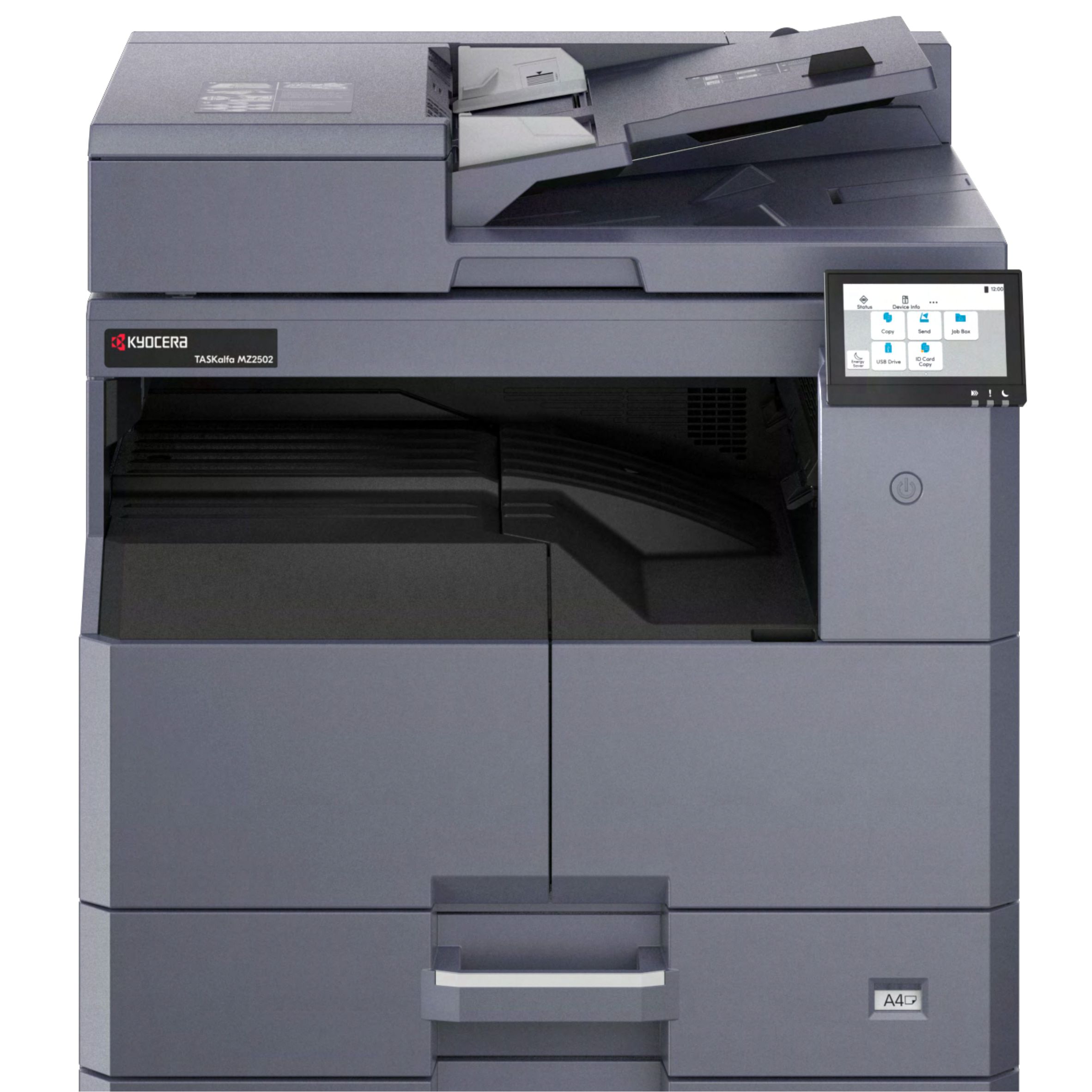
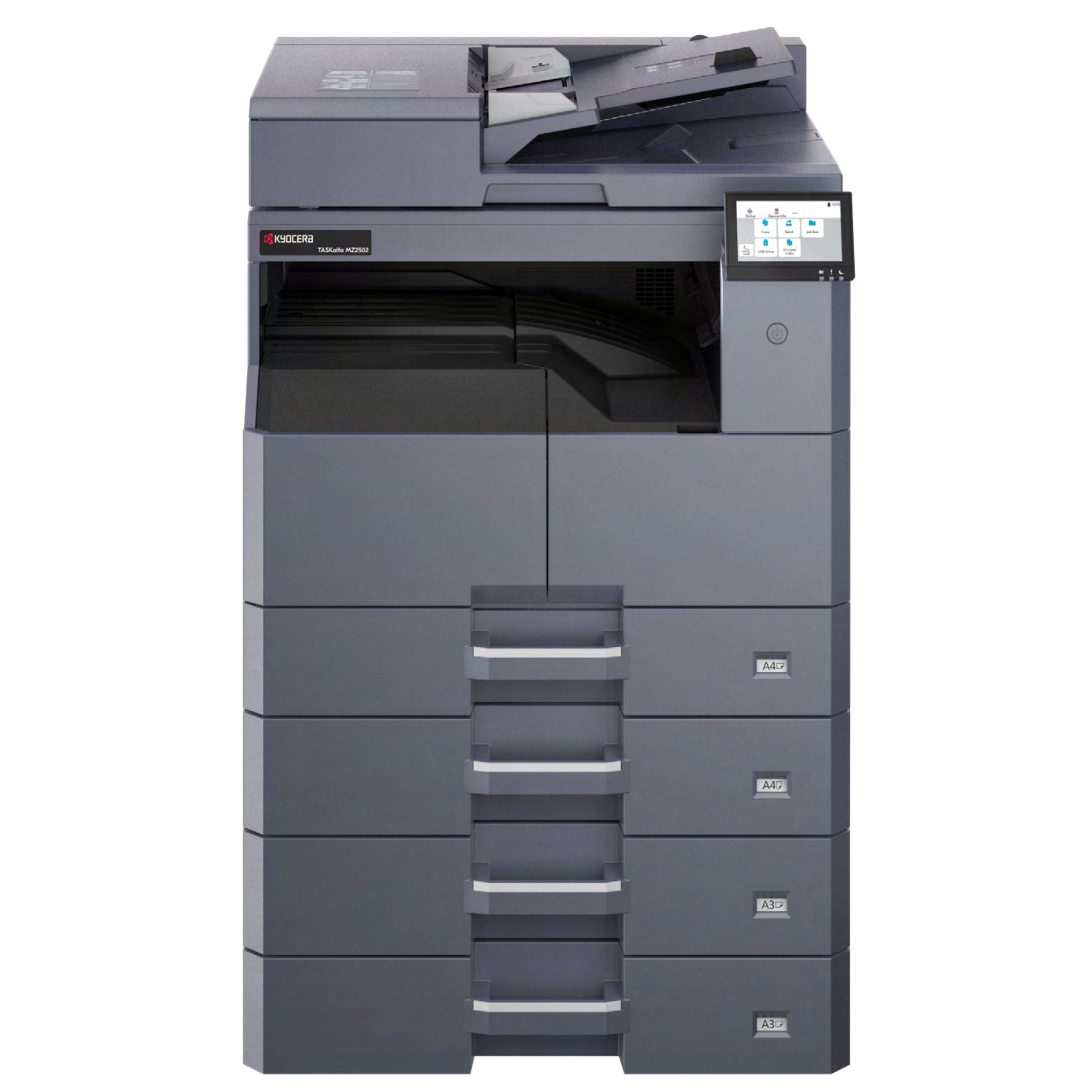
A3 monochrome MFP designed for dependable office document production. Combines practical speed with flexible multifunction workflows.
The TASKalfa MZ2502 is an A3 monochrome MFP engineered for dependable document production. Featuring a practical 25 ppm output, a built-in document processor, and a highly intuitive 4.3-inch touch panel, it smoothly blends flexible multifunction workflows with exceptional usability.
| Main Specifications | ||
|---|---|---|
| Model | TASKalfa MZ2502 | |
| Main Function | Copy, Print, Scan, Fax (Optional) | |
| Writing Method | Semiconductor Laser | |
| CPU | 1.0GHz | |
| Print Speed (A4) Simplex/Duplex | 25/12 cpm | |
| Scanning Speed (A4) 300dpi | Simplex | 25/25 ipm |
| Duplex | 8/8 ipm | |
| Memory | 1GB | |
| Warm Up Time | 29 seconds | |
| Paper Capacity | Standard | 400 sheets: 1 x 300 sheets (Cassette) + 100 sheets (MPT) |
| Maximum | 1,300 sheets (Main Unit + PF-480 x 3) + MPT | |
| Paper Size | Cassette | Max. A3 (Ledger) - Min. A5R |
| MPT | Max. A3 (Ledger) - Min. A6R | |
| Paper Weight | Cassette | 60 to 105 g/m2 |
| MPT | 45 to 163 g/m2 | |
| Duplex Printing (Optional) | Paper size: Max. A3 (Ledger) - Min. A5R; Paper weight: 60 to 105 g/m2 | |
| Display LCD (Back Light) | 4.3 inch touch panel | |
| Dimension (W x D x H) (Main Unit) | 565 x 525 x 583mm (with DP) | |
| Weight (Main Unit) | 32kg | |
| Power Consumption (Standard configuration) | Copy/Print Mode | 442W or less (220-240V) |
| Stand-by Mode | 442W or less (220-240V) | |
| Sleep Mode | 0.3W or less | |
| Noise (ISO7779/ ISO9296) | Copy/Print Mode | 62dB(A) |
| Stand-by Mode | 40dB(A) | |
| Copy Functions (Standard) | ||
| Copy Size | Max. A3 (Ledger) - Min. A5R | |
| Resolution | 600 x 600 dpi | |
| First Copy Time | 5.9 seconds (Table) | |
| Zoom Ratio | 25% to 400% (1% per Step) | |
| Multiple Copy | 1 to 999 | |
| ID Card Copy | Yes (Auto Crop support) | |
| N-Up Copy | 2 in 1, 4 in 1, 8 in 1 | |
| Print Functions (Standard) | ||
| Resolution | 600 x 600 dpi | |
| First Print Time | 5.9 seconds | |
| PDL | PRESCRIBE, PCL6 (PCL-XL, PCL 5e), KPDL3 (Postscript 3 compatible), XPS, OpenXPS, PDF | |
| Operating System Supported | Windows 11, Windows Server 2016/2019/2022/2025, Mac OS X(10.9 or later), Google Chrome OS | |
| Interface | USB2.0, USB2.0 High Speed x2; 10BASE-T/100BASE-TX/1000BASE-T | |
| Mobile Printing | AirPrint, Mopria, KYOCERA MyPanel and KYOCERA Mobile Print app for iOS and Android, Microsoft Cloud printing | |
| Scan Functions (Standard) | ||
| Resolution | 600x600dpi, 400x400dpi, 200x400dpi, 300x300dpi (Default), 200x200dpi, 200x100dpi | |
| File Format | TIFF (MMR/JPEG compression), PDF (MMR/JPEG compression/High Compression), JPEG, XPS, Open XPS | |
| Image Type Mode | Text, Photo, Text + Photo, Text (OCR) | |
| Transmission Type | Scan to PC(SMB); Scan to E-mail (SMTP, SMTP over TLS); Scan to FTP(FTP, FTP over TLS); Scan to USB; TWAIN Source(Network); WSD Scan; WIA Scan, AirPrint(eSCL), Mopria(eSCL), DFS, Chrome OS Scan | |
| Fax Functions (Optional) | ||
| Original Size | Max. A3 (Ledger) - Min. A5 (Statement) | |
| Coding Method | MMR, MR, MH, JBIG | |
| Transmission Speed | Super G3 33.6 kbps | |
| Transmission Time | 3 seconds or less (JBIG) | |
| Fax Resolution | Normal, Fine, Super Fine, Ultra Fine | |
| Network FAX | Yes | |
| Address Book | 300 single addresses and 50 group addresses | |
| One Touch Dial | 100 (Soft Key on the panel) | |
| Consumables & Options | ||
| Toner Kit | TK-4230: 15,000 pages | |
| Maintenance Kit | MK-4145: 150,000 pages | |
| Platen Cover | N/A | |
| Document Processor | DP-480: 50 sheets RADF (Built-in) | |
| Paper Feeder | PF-480: 300 sheets x 1 Paper Feeder (A4/Letter) | |
| Duplex Unit | Standard | |
| Fax System | Fax System 15 | |
| Card Authentication | Card Authentication Kit(B) | |
| Wireless LAN Interface | IB-37 (Wi-Fi 2.4 GHz/5 GHz multi-band support) | |
Our experts are here to help you find the perfect solution for your business needs.